
The Trading Journal
That Builds Elite Traders
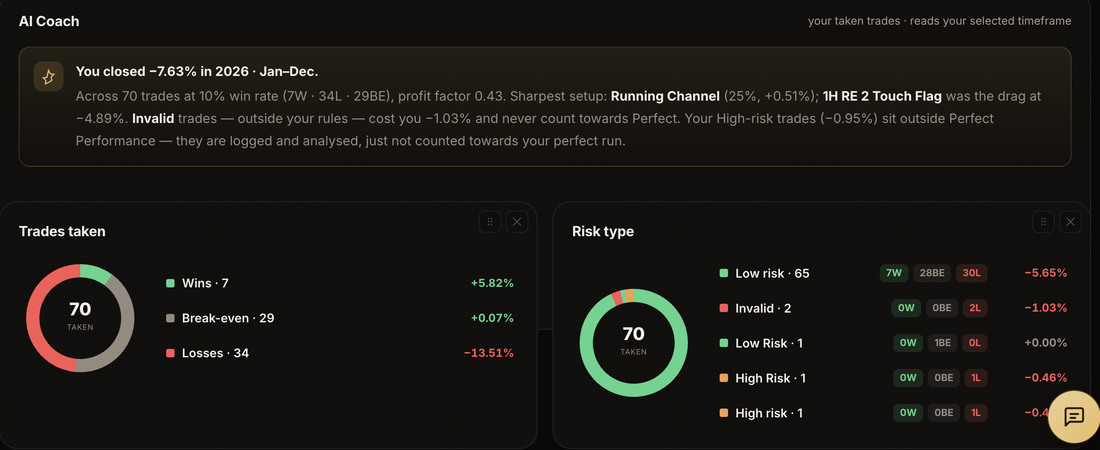
The journal, analytics and AI Coach serious traders use to turn every trade — and every one they missed — into a measurable edge. Forex, stocks, indices, crypto & commodities.
TrustScore 4.6 out of 5 on TrustpilotReal reviews, as they come in
“Well platform ever seen contain everything a traders could neeed in his journey of trading such as position calculators, multi accounts management, analytics, missed trade, goals and reflections, economic calender, self assessment, coaches corners etcs.”
“Reviewed their platform, and gave my feedback, they listened.... Faster than I expected tbh..... The new feature where I can add multiple accounts and track them too, helps soooo much. This platform deserves massive recognition and thats just pure honesty.”
“I absolutely love this! It’s an all in one platform from weekly forecasts, Daily goals, to the logging of trades, to weekly reviews, tracking flow zones and most importantly the ability to share your logged trades with your coach and getting prompt and detailed responses. This is a game changer.”
“Trading is 90% psychology and this app helps with that. It makes me review every trade without excuses. If the market doesn’t care how nice you are, at least your journal should care how honest you are.”
“Exhibit A Trading has become an essential part of my trading routine. The journaling tools make it easy to track my trades, identify patterns in my performance, and stay accountable to my trading plan.”
“Fantastic product and it makes it so much simpler to have all my information in one. The AI coach was great as it shows exactly where I need to improve as a trader. Also the missed trades is something I never thought of doing before. Would strongly recommend!”
“This tool is very good as it allow us to interact with our coach and give us feedback on the trades we have taken. One can also track his/her equity and measure how he is performing over a period of time.”
“Trade journaling has never been easier with exhibit a. If you are serious with your trading, then consider this platform. I recommend it to anyone wanting to take trading to the next level.”
“This is a game changer, something designed for a trader in mind. I’m loving it.”
“One of the best trading tools I ever seen in the industry, well-arranged and easy to use, Super efficient”
“A very useful tool to keep track of the trading performance. It has some useful features to help in trading journey”
“Every review on this page comes from a real trader on a real account. We’ll never fabricate a testimonial — the wall fills up as our first traders share theirs.”
Showing a selection of recent reviews. Read every review on Trustpilot →
The old way — and the Exhibit A way
Most traders run their whole process across endless apps: a spreadsheet, a Notion board for mistrades, a calculator they Google before every trade, and Forex Factory for the news. Exhibit A folds all of it into one calm interface.
Trading on memory
- ✕Spreadsheets you stop updating after week 3
- ✕Screenshots dumped in a random folder
- ✕Guessing position size on the fly
- ✕Missing news that moves your pair
- ✕No idea which setups actually pay you
Trading on evidence
- ✓Auto-journaled trades with tags and notes
- ✓Screenshots attached to every trade
- ✓Position sizer with risk-per-trade rules
- ✓News calendar synced to your watchlist
- ✓AI Coach that shows your real edge
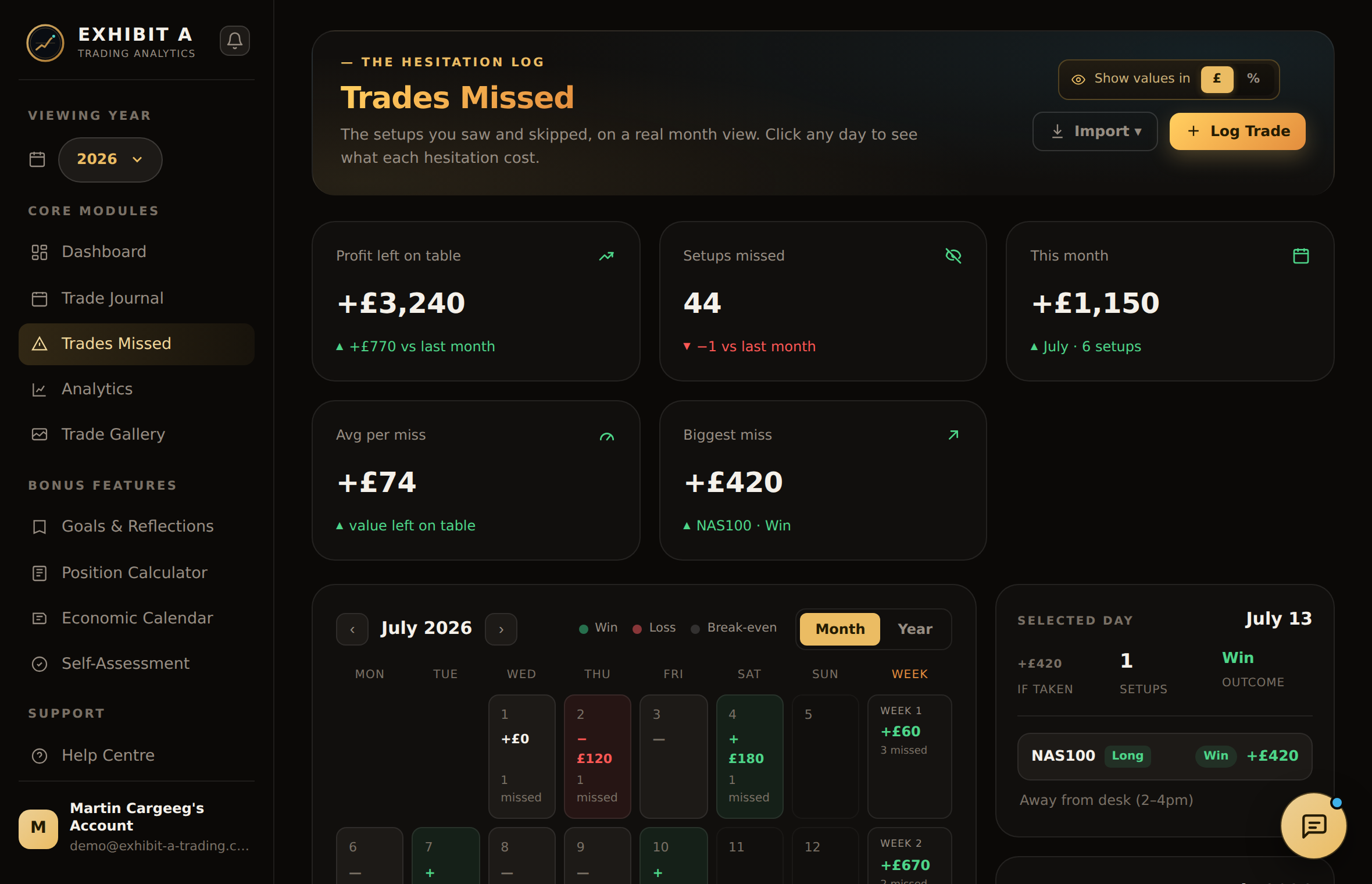
The trades you didn’t take are still costing you
Log the setup you saw, sized, and skipped. Exhibit A tracks the hypothetical outcome in £ and R — so hesitation stops being invisible and starts being measurable. Most traders find a hidden second book worth more than what they actually ship.
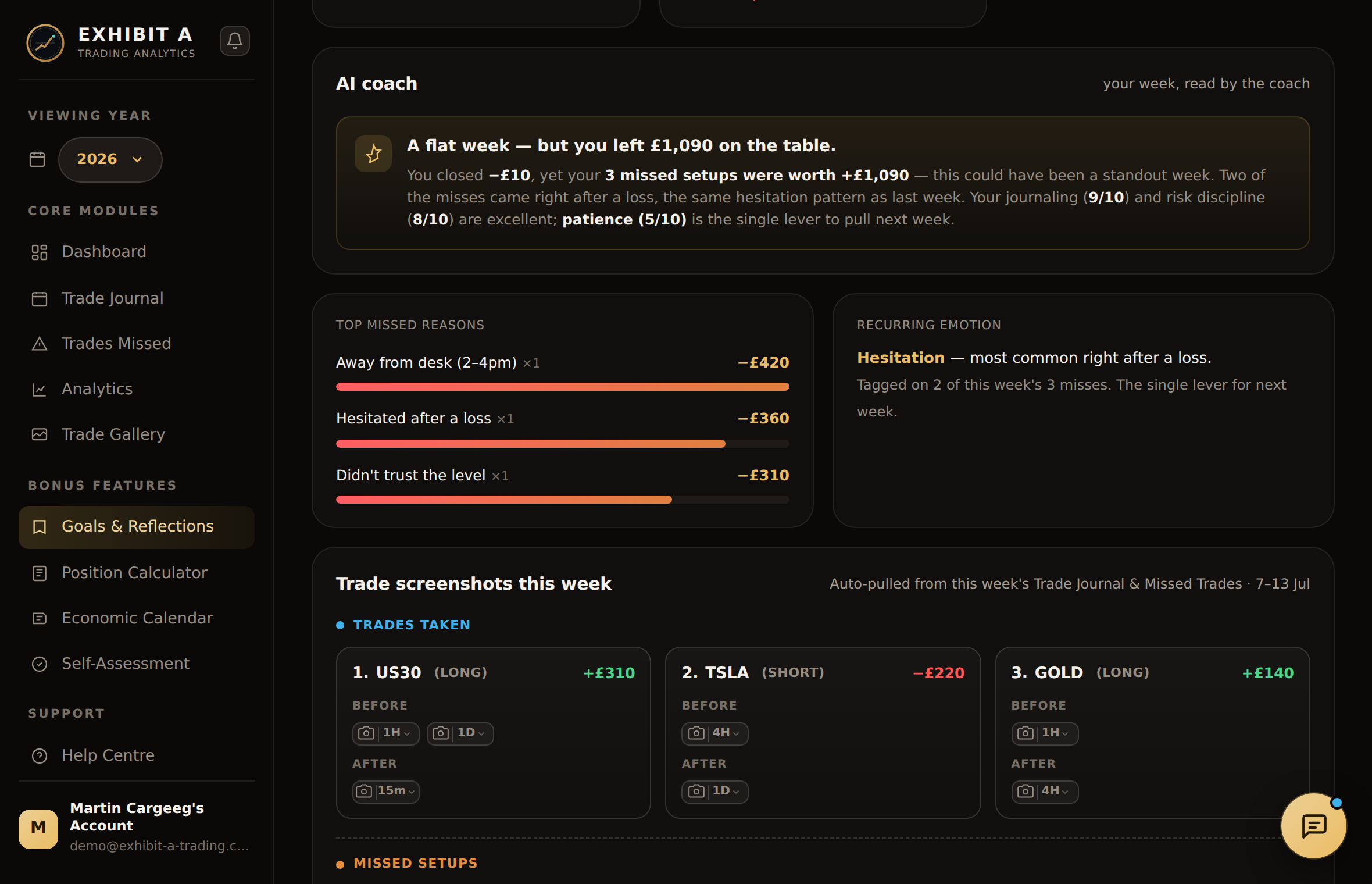
An AI Coach that reads every trade you’ve ever taken
AI Coach reads your behaviour as you trade — the setups that pay, the ones that bleed, and the times of day where discipline slips. Then, on the last day of every month, it writes your full performance review and emails it to you: what worked, what it cost you, and the one change that would make the biggest difference next month.
You overtrade Fridays after a loss
68% of trades taken within 90 min of a losing trade on Fridays are red. Estimated cost: −24.6R over the last 90 days.
Your London breakout setup is your real edge
Win rate 71% · avg R 1.9. It’s 12% of your volume but 58% of your profit. Consider sizing up on A+ instances.
You captured 38% of your own edge
You finished +£3,595. A perfect run of the setups you flagged was +£9,550 — £4,122 of the gap is trades you simply didn’t take.
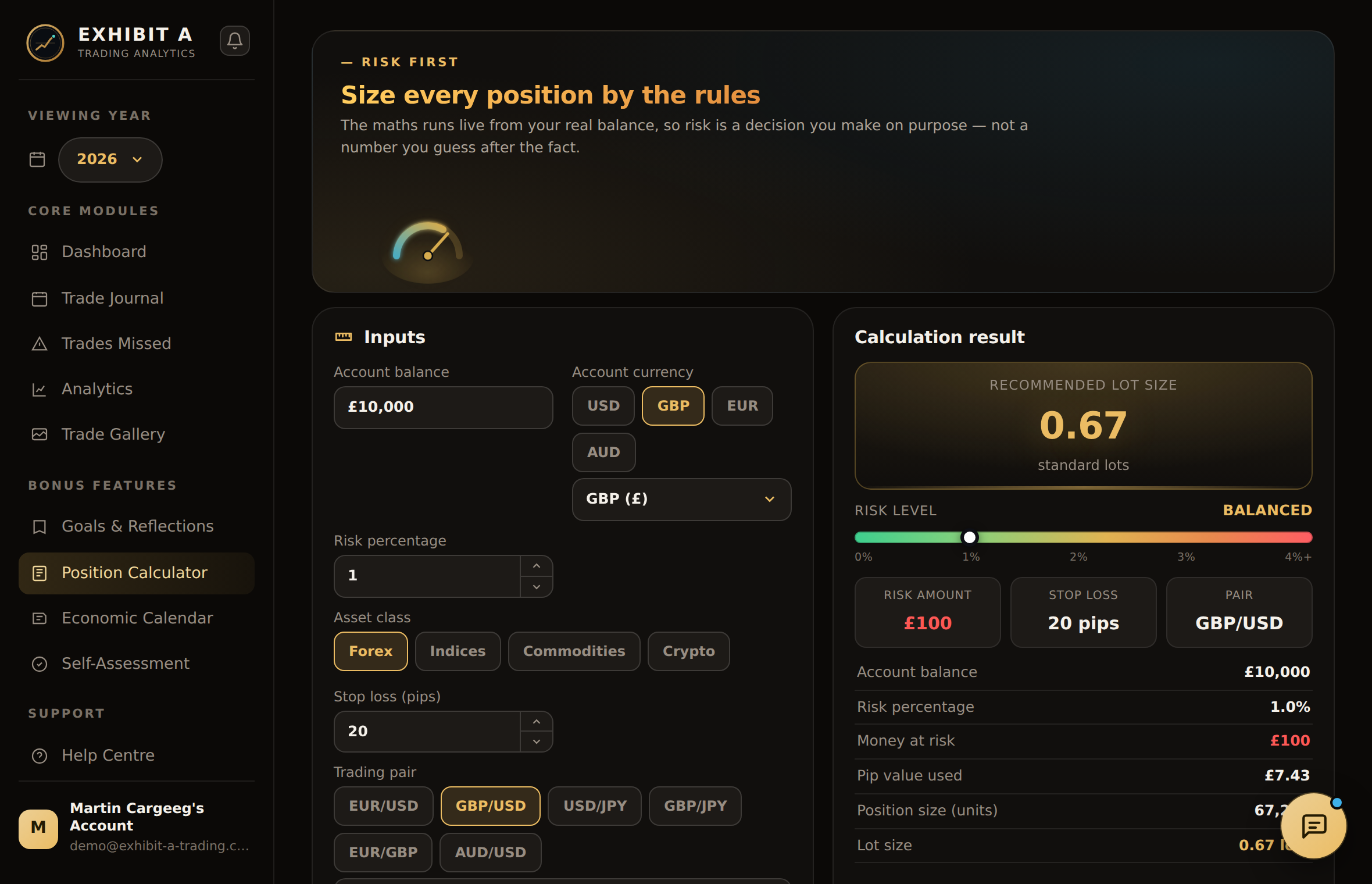
Size right the first time
Drag the sliders. This is the same sizer inside the app — one tap from your setup to a lot size that respects your risk rules. No mental math at the moment of truth.
- Per-strategy risk caps
- Auto pip-value for exotic pairs
- Broker-specific min lot handling
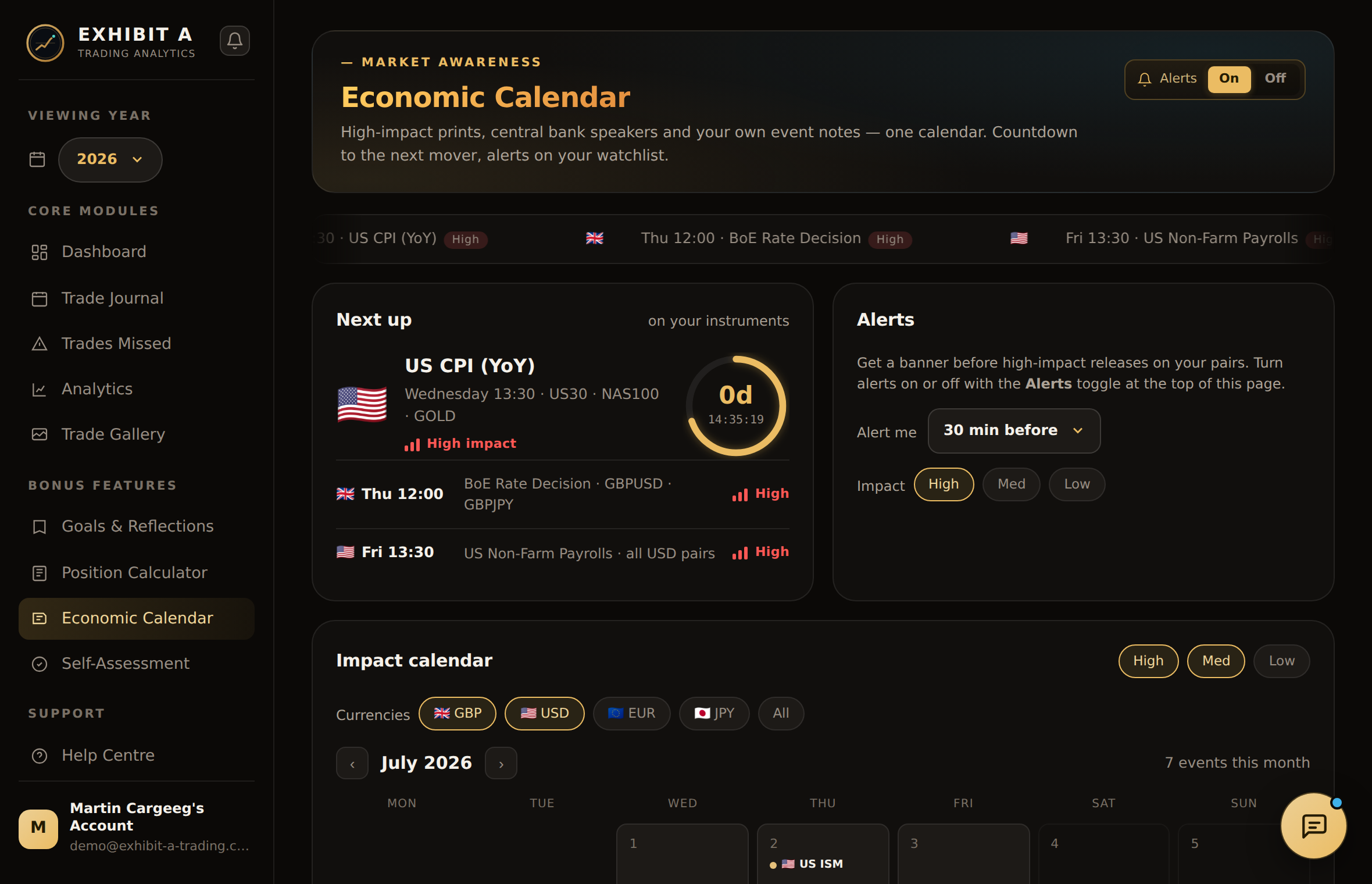
Know what's coming before you size up
Scheduled releases filtered to the currencies you actually trade, in your own timezone, with a live countdown to the next mover — sourced from the central banks and statistics agencies themselves.
- Pre-event alertsPing 15 min before NFP, CPI, rate decisions and central bank speeches.
- Impact by pairSee only the events that historically move EUR/USD, GBP/JPY, XAU/USD — whatever’s on your watchlist.
- Journal linkageA trade taken inside an event window is tagged automatically — filter your stats by news vs quiet tape.
Everything a serious trader ships to a spreadsheet — done for you
Every trade, auto-logged
Import from MT4, MT5, cTrader or TradingView. Tag setups, attach charts, add notes. Never lose context on why you took a trade.
- Screenshot attachments
- Custom setup tags
- Pre & post-trade notes
The metrics that actually matter
Equity curve, profit factor, expectancy, Sharpe. Slice by pair, session, day of week, setup — find the edges you didn’t know you had.
- 23 built-in metrics
- Custom filters & cohorts
- Exportable reports
Never over-risk again
Sizer that respects your account rules. Fixed fractional, Kelly, volatility-adjusted. One tap from setup to size.
- Per-strategy risk rules
- Pip-value auto-calc
- Broker-specific presets
Know what's coming before you size up
Rate decisions, CPI and jobs data for the pairs you actually trade — sourced from the central banks and statistics agencies themselves, verified weekly.
- Filtered to your watchlist
- Pre-event alerts
- Verified weekly
A coach that reads your data
Deep-dives on your real behavior. Overtrading Fridays after a loss? Revenge trades on GBP/JPY? It notices before you do.
- Monthly review email
- Behavioral pattern alerts
- Setup performance ranking
The habits that actually compound
Set monthly targets — R gained, win rate, discipline score. Daily journal prompts that keep the plan in front of your face.
- Monthly R targets
- Daily journal prompts
- Discipline scoring
Your coach sees the whole picture
Send them one link and they get a read-only copy of your account — every trade you took, every setup you missed, and the charts that go with them. They leave notes, draw on your charts and write you a review.
- One link, read-only
- Notes and drawings on your charts
- You pick what they see
Plugs into wherever you already trade
Direct broker sync is on the roadmap. Today you can import from CSV, Notion, or Excel — automatic sync with the platforms below lands next.
 MetaTrader 4Soon
 MetaTrader 5Soon
 cTraderSoon
 TradingViewSoon
 Interactive BrokersSoon
 OANDASoon
 PepperstoneSoon
 IC MarketsSoon
One plan. Everything in it.
No feature tiers and no add-ons — every trader gets the whole platform. Try it free for 14 days; no card is charged until the trial ends.
Everything, one price
- Unlimited trades & journals
- Full analytics suite
- Trades-missed tracker
- Position size calculator
- AI Coach & self-assessment
- Monthly review, read by your Coach
- Share your account with your coach
- Daily / weekly / yearly planner
- CSV, Notion & Excel import
14 days free, then £19/month — or £190/year, two months free. Cancel any time. See full pricing.