
Why a free forex trading journal beats a spreadsheet
Most FX traders start journaling in Google Sheets. It's free and it works — right up until it doesn't. This platform started the same way: trades in one Google Sheet, mistakes noted in Notion, position sizing in a separate app. Three tools, none of them talking to each other, and a journal you stopped opening after a fortnight.
A spreadsheet is free but it's manual and shapeless. Every column is one you have to design, every stat is a formula you have to write and then fix when it breaks, and there's no gentle structure telling you what to record. A free forex trading journal that's actually built for the job gives you the fields, the calculations and the dashboard out of the box, so the friction that makes people quit journaling mostly disappears.
What you get
There is one plan and it isn't a crippled demo. It's everything an FX trader needs to build good habits:
- Trade Journal — structured logging in pips, lots and pairs, with room for the reasoning behind each trade.
- Position Size Calculator — size the next trade from your balance, risk percent and stop, without leaving the app.
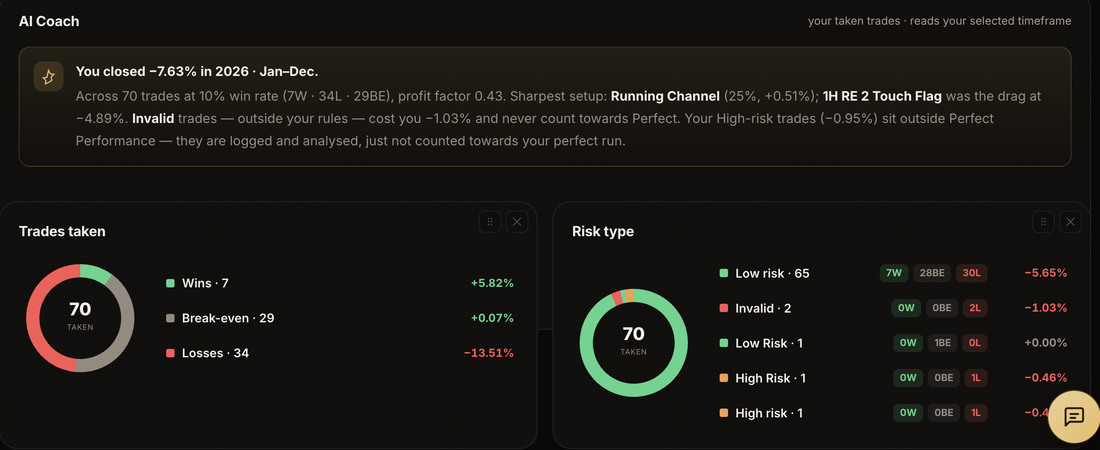
- Dashboard basics — running P&L, win rate and recent trades, updating as you log.
- Help Centre — guides for getting set up and importing your history.
Fourteen days of everything, with no card charged until the trial ends. The position size calculator is separate — it's free to use permanently and needs no account.
What's free? Right now — everything.
| Feature | Free, no account | Full access — £19/mo |
|---|---|---|
| Price | £0 | £19/mo · £190/yr · 14 days free |
| Position size calculator | Yes | Yes |
| Trade journal | — | Yes |
| Spreadsheet import | — | Yes |
| Full analytics & breakdowns | — | Yes |
| Missed-trade cost analytics | — | Yes |
| FX economic calendar | — | Yes |
| Goals & reflections | — | Yes |
| Coach sharing | — | Yes |
| AI review coach | — | Yes |
There are no feature tiers to compare — one plan contains everything. The 14-day trial is the full product, not a cut-down version, so you're deciding on the real thing. Accounts created during our early-access period keep full access free, permanently.
Moving your Google Sheet over
Export your sheet to CSV, open the import, and drop it in. The column matcher lines up your dates, pairs, lots and P&L automatically — including day-first dates and numbers stored as text, the two things that usually break a manual import. A couple of minutes and your whole history is in, charted and searchable.
FAQ
Is the forex trading journal really free?
The trial runs 14 days and no card is charged until it ends. It includes everything — the trade journal, analytics, missed-trade tracking, the calendar and the coach. The position size calculator is free to use permanently without an account.
Do I need a credit card to start?
No. Everything is included in one plan, and no card is charged during the 14-day trial.
What's the difference between free and paid?
Every plan includes everything: full analytics, missed-trade cost tracking, the FX economic calendar, daily journal streaks, self-assessment and the AI coach. Paid plans come later — with fair notice, and founding terms for early users.
Can I import my existing spreadsheet?
Yes — CSV or Excel, in about two minutes, with automatic column matching. See also the free position size calculator and, if you're comparing tools, the TradeZella alternative breakdown.